— people are viewing this now
— sold in the last 3 hours
Live store activity
Loading recent purchases…
Trust score
4.8
/ 5 · Excellent
Verified by independent review platforms and thousands of CDKeyDeals buyers.
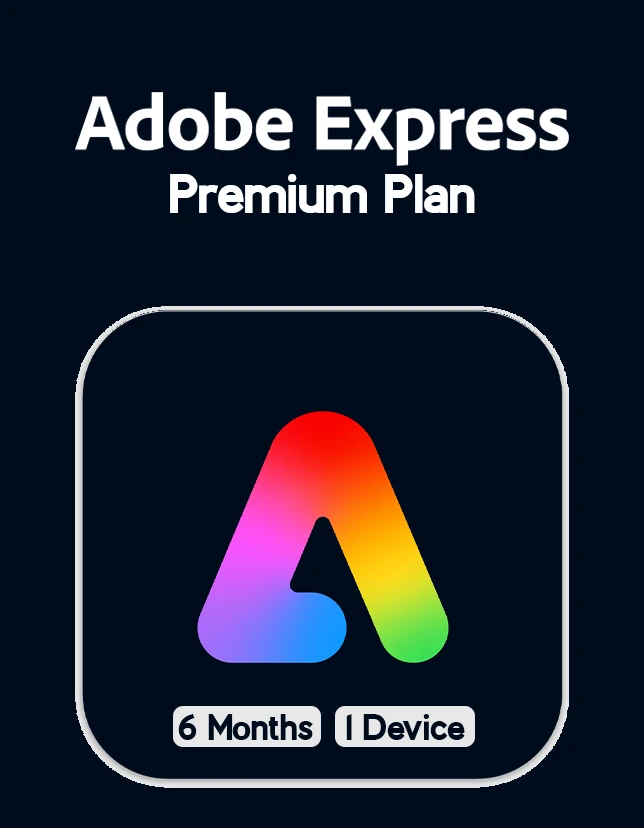
Adobe Express Premium Plan 6 Months 1 Device for PC Mac Global
Region
GLOBALNo region lock — activates worldwide
You will receive a digital license key by email after purchase.
Product Description
Adobe Express Premium Plan: Create, edit, design, and publish with confidence using Adobe Express Premium Plan (PC) 1 Year – Adobe Key – UNITED STATES. This annual license is built for creators who need professional tools for everyday work—whether you’re designing graphics, editing video, retouching photos, building layouts, or preparing content for social media and marketing.
If you want a smooth setup, secure activation, and the flexibility to work across multiple creative tasks, this 12-month plan gives you a reliable way to stay productive all year. It’s an excellent option for freelancers, small businesses, students who want pro-grade tools, and anyone who prefers a straightforward yearly subscription.
This listing also supports users who want to pair their workflow with tools like the Adobe Express Premium Plan for fast templates and brand-ready content, making it easier to create polished posts, flyers, and promos in minutes.
Key Benefits
* One-year access to professional Adobe tools for PC
* Fast activation with a digital key (no physical shipment)
* Ideal for content creation: photos, videos, design, documents, and more
* Reliable updates & security patches throughout your subscription period
* Work-ready output for social media, print, presentations, and web projects
* Great for teams and solo creators who need consistent creative performance
For creators who need quick turnarounds, combining core desktop apps with the speed of the Adobe Express Premium Plan can help you go from idea to publish-ready assets faster.
Best Features
* All-in-one creative ecosystem: move from photo editing to layout design without switching platforms
* Cloud-connected workflow: manage assets and projects more efficiently
* Professional-grade tools: industry standards used in agencies, studios, and marketing teams
* Cross-app integration: streamline work between different Adobe applications
* Easy installation on PC: download, sign in, and start creating
If you frequently make marketing content, the Adobe Express Premium Plan can complement your desktop workflow by providing quick, polished templates that match your brand style.
What’s New in Adobe Express Premium Plan (PC) 1 Year – Adobe Key – UNITED STATES
Adobe regularly improves performance, stability, and creative features across its apps. Depending on the current release version, you can expect enhancements such as:
* Faster performance and improved GPU acceleration in supported apps
* New creative tools, updated templates, and better export options
* More efficient collaboration and file handling
* Security improvements and reliability updates
Because updates roll out over time, you’ll always have access to the latest supported improvements during your 12-month subscription.
Supported Editions
This product is intended for:
* PC (Windows) users
* United States region activation (follow regional requirements)
* Digital key activation (no disc)
If you’re also using lightweight browser-based or mobile-friendly creation tools, the Adobe Express Premium Plan can be a useful add-on for quick content formatting and social posting workflows.
How to Download
1. Visit the official Adobe website.
2. Download the Creative Cloud desktop app for Windows.
3. Sign in with your Adobe ID (or create one if needed).
4. Enter your license key when prompted (or follow the redemption instructions provided with your purchase).
5. Select the apps you want and begin installation.
Installation Steps
1. Install the Creative Cloud desktop app on your PC.
2. Sign in using your Adobe account.
3. Redeem/activate using the provided digital key.
4. Choose your required apps and click Install.
5. After installation, open an app to confirm your subscription is active.
System Requirements
Minimum System Requirements (Typical)
* OS: Windows 10 (64-bit) or later
* CPU: Intel or AMD 64-bit processor
* RAM: 8 GB
* Storage: 10+ GB free space (more depending on apps installed)
* Display: 1280×800 minimum
* Internet: Required for download, activation, and updates
Recommended System Requirements
* OS: Windows 11 (64-bit) or latest Windows 10 updates
* CPU: Modern multi-core Intel/AMD processor
* RAM: 16 GB or more (32 GB for heavy video work)
* Storage: SSD recommended with ample free space
* GPU: Dedicated GPU recommended for video/3D and accelerated effects
* Internet: Stable broadband for smooth updates and cloud services
Compatibility & Hardware Support
Adobe apps can take advantage of modern CPUs, SSDs, and compatible GPUs for faster rendering and smoother playback. For best results, keep Windows and GPU drivers updated. Some advanced features may require specific hardware support, especially for video editing and 3D workflows.
How to Buy (Check from cdkeydeals.com)
1. Go to cdkeydeals.com and locate this product listing.
2. Choose the correct region: United States.
3. Add to cart and proceed to checkout.
4. Complete payment with your preferred method.
5. Receive your digital key and activate it.
Payment Methods
Supported payment options include:
* PayPal
* Credit cards/debit cards (all major types)
* Google Pay
* Amazon Pay
* Alipay
* Afterpay
* Klarna
* Bank transfer
* Cryptocurrency
How to Get Delivery
* Live delivery on the Thank You page after checkout (when available)
* Instant email delivery with your digital key and instructions
Activation Process
1. Install the Creative Cloud desktop app.
2. Sign in (or create) your Adobe ID.
3. Redeem and activate with your License Type: Digital Key.
4. Confirm the plan is active and begin installing apps.
Security & Updates
During your subscription, you receive regular updates that can include:
* Security patches
* Bug fixes and stability improvements
* Performance enhancements
* New tools and workflow upgrades
Keeping your software updated helps maintain smooth performance and protects your device.
Frequently Asked Questions (FAQ)
1) Is this a physical product?
No. This is a digital key—delivered online and by email.
2) How fast will I receive my key?
Delivery is typically instant, shown on the Thank You page, and sent via email.
3) Does this work outside the United States?
This listing is for the United States region activation. Use the correct regional version for best results.
4) Can I reinstall if I change my PC?
In many cases, yes—depending on Adobe account rules and device limits. Always sign in with the same Adobe ID.
5) Do I need internet access?
Yes. The Internet is required for download, activation, and updates.
6) What if I have problems activating?
Double-check region, Adobe ID sign-in, and redemption steps. If issues continue, contact the seller’s support with your order details.
7) Is this good for beginners?
Yes. It’s suitable for beginners and pros. You can start with simple templates and grow into advanced tools.
8) Can I use it with Adobe Express?
Yes—many creators pair desktop apps with the Adobe Express Premium Plan for quick social graphics and brand templates.
9) Will I get updates during the year?
Yes. Updates are included while the subscription is active.
10) Do I need a powerful PC?
Basic design and document work can run on minimum specs, but video editing and heavy effects work best on recommended specs.
Overview
Customer reviews
Based on 911 reviews
Any questions about the product? Write to us — 24/7 technical support!
Our technical specialists will be happy to answer all your questions.
Join the CDKeyDeals Club and Get 10% Off Your First Order!