— people are viewing this now
— sold in the last 3 hours
Live store activity
Loading recent purchases…
Trust score
4.8
/ 5 · Excellent
Verified by independent review platforms and thousands of CDKeyDeals buyers.
CD Key
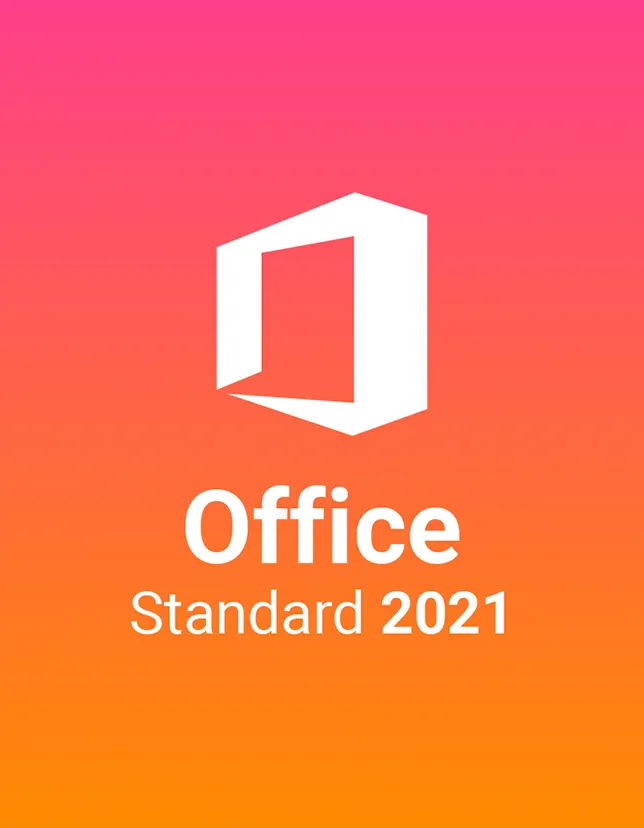
Microsoft Office 2021 Standard
4.7
3,042 reviewsRegion
GLOBALNo region lock — activates worldwide
PlatformMicrosoft
Product typeDigital key · Instant Email Delivery
PolicyRefund & replacement
You will receive a digital license key by email after purchase.
Included Apps
W
WordE
ExcelP
PowerPointO
OutlookA
AccessO
OneNoteP
PublisherS
SkypeProduct Description
Microsoft Office 2021 Standard is a classic, one-time purchase productivity suite built for people who want dependable Office apps without a monthly subscription. It’s ideal for writing documents, creating spreadsheets, building presentations, and managing email, whether you’re working from home, running a small business, or handling school tasks. With familiar apps and a clean, modern interface, Microsoft Office 2021 Standard helps you stay organized and get work done with less friction.
Key Benefits
If you prefer ownership over subscriptions, Microsoft Office 2021 Standard is a smart fit. You pay once, install it, and use it long-term. It’s also great for users who want stable features, offline access, and a workflow that feels consistent. Many customers choose Microsoft Office 2021 Standard because it balances simplicity with powerful tools for everyday productivity.
Best Features
- Word 2021 for polished documents, templates, and improved reading tools
- Excel 2021 with modern functions, better performance, and cleaner analysis tools
- PowerPoint 2021 for smoother presentations, transitions, and visual storytelling
- Outlook 2021 to manage email, calendars, and contacts in one place
- One-time license model (no recurring fees), perfect for budget planning
What's New
This version brings practical improvements that make daily work easier: refreshed visuals, better stability, and updated features across core apps. Excel includes newer formulas and improved data handling. PowerPoint adds smoother inking and presentation enhancements. Overall, Microsoft Office 2021 Standard focuses on a reliable, modern experience while keeping the familiar Office feel many users prefer.
Overview
Attribute
Value
Category
Microsoft Software
Supported Editions
Office Home & Student, Office Home & Business, Office Professional, Office 2021 Standard, Microsoft 365 (subscription option)
Compatibility & Hardware
Microsoft Office 2021 Standard runs best on modern Windows PCs and laptops, including most Intel and AMD systems. It’s suitable for home desktops, office workstations, and many business devices. For best performance, keep Windows updated and use an SSD where possible.
Payment Methods
Pay with PayPal, all major credit/debit cards, Google Pay, Amazon Pay, Alipay, Afterpay, Klarna, bank transfer, and cryptocurrency.
Delivery
You’ll receive your key via live delivery on the Thank You page and also through instant email delivery.
Security & Updates
Office apps receive stability improvements and security patches through Microsoft updates. Keeping Windows Update enabled helps Microsoft Office 2021 Standard stay protected and compatible.
System Requirements
Minimum
- OS:Windows 10/11
- CPU:1.6 GHz, 2-core processor
- RAM:4 GB (64-bit)
- Storage:4 GB available space
- Display:1280×768
Recommended
- OS:Windows 11 (latest updates)
- CPU:2.0+ GHz, 4-core
- RAM:8 GB+
- Storage:SSD with 10 GB free
- Display:1920×1080
How to install
How to Download
- Sign in with your Microsoft account (or create one)
- Enter your product key when prompted.
- Select your language and version.
- Download the installer from your account page.
Installation Steps
- Run the downloaded installer file.
- Accept the license terms.
- Choose install options (default is fine for most users)
- Wait for installation to complete
- Open Word/Excel and sign in to finalize setup
Activation Process
After purchase, open any Office app → choose Activate → enter your Digital Key (or redeem at setup.office.com). Once validated, Microsoft Office 2021 Standard stays activated on your licensed device.
Frequently Asked Questions
Is Microsoft Office 2021 Standard a one-time purchase?
Yes, it’s a perpetual license; no monthly subscription required.
Which apps are included?
Commonly Word, Excel, PowerPoint, and Outlook (depending on package details).
Can I use it without internet?
Yes, after installation and activation, you can work offline.
Does it work on Windows 11?
Yes, it supports Windows 11 and Windows 10.
How do I redeem the key?
Redeem at setup.office.com using a Microsoft account.
Will I receive the key instantly?
Yes, via the Thank You page and email delivery.
Can I reinstall if I change my PC?
That depends on license terms; many keys can be reactivated after proper deactivation.
Is this the same as Microsoft 365?
No. Microsoft 365 is subscription-based with ongoing feature updates.
Are updates included?
Security and stability updates are provided through Microsoft updates.
What if activation fails?
Double-check the Microsoft account, key entry, and internet connection, then retry or contact support.
Customer reviews
4.7
Based on 3,042 reviews
5★2,530
4★425
3★118
2★40
1★0
Support online
Any questions about the product? Write to us — 24/7 technical support!
Our technical specialists will be happy to answer all your questions.
Join the CDKeyDeals Club and Get 10% Off Your First Order!

£59.99