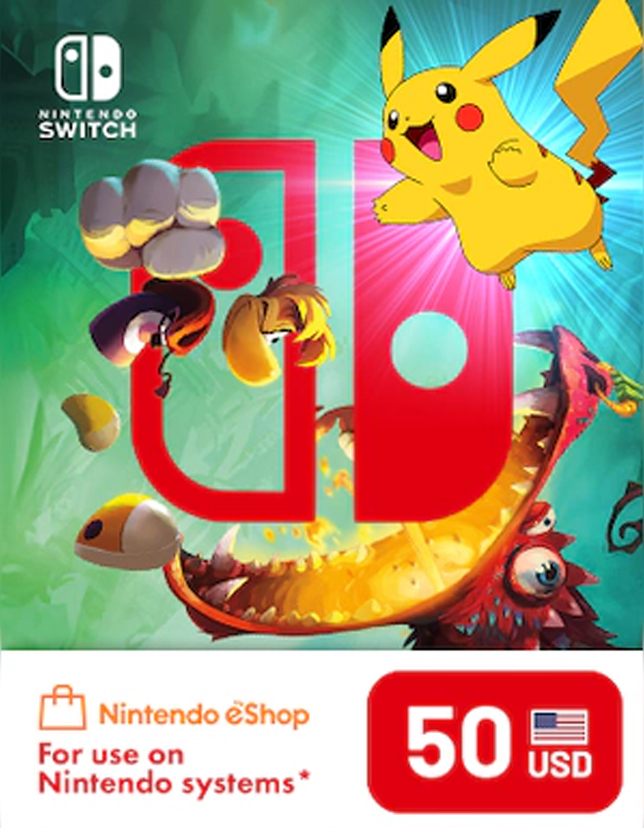
Nintendo eShop Card 50 USD Key – UNITED STATES
Will work in
Delivery
Instant Delivery
You will receive a digital license key by email after purchase.
The Nintendo eShop Card 50 USD Key – UNITED STATES is a digital top-up code that adds $50 to your U.S. Nintendo eShop balance. Use it to buy full games, DLC, in-game currency, Nintendo Switch Online memberships, and more—directly from the Nintendo eShop. This is a digital key (no physical shipping), making it a convenient option for quick gifting or instant account top-ups.
With a Nintendo eShop Card, you avoid linking a card to your console and still enjoy smooth, secure purchases. Whether you’re grabbing a new release, pre-ordering an upcoming title, or picking up discounted games during seasonal sales, the added balance keeps checkout fast and simple.
Key Benefits
- Add $50 USD to your Nintendo account balance in minutes
- Ideal for gifts (no shipping, no delays)
- Use on Nintendo Switch and compatible Nintendo eShop services
- A safer alternative to storing payment cards on your console
- Great for sales, DLC, and digital-only releases
Best Features
- Region: United States (US eShop)
- Instant digital delivery (thank you page + email)
- Simple redemption inside the Nintendo eShop
- Works for games, add-ons, subscriptions, and more
- Smooth checkout using your eShop balance
What’s New in Nintendo eShop Card 50 USD Key – UNITED STATES
This $50 denomination remains one of the most popular options for players who want meaningful purchasing power without overspending. It’s perfect for buying a new game during eShop deals, topping up for DLC bundles, or splitting spend across multiple smaller purchases.
Why You Need It / How the Value Helps
A Nintendo eShop Card gives you flexibility: load funds once, then buy when you’re ready—especially useful when sales drop unexpectedly. It also makes budgeting easier: you spend from your wallet balance rather than directly from a bank card.
Supported Editions
- US Nintendo eShop accounts
- Nintendo Switch family systems using the U.S. region eShop
How to Download
No download is required for the code itself. You will receive a digital code that you redeem in the Nintendo eShop to add funds.
Installation Steps (Redeem/Activate)
- On Nintendo Switch, open Nintendo eShop.
- Select your account profile.
- Choose Redeem Code.
- Enter the 16-digit code and confirm.
- The $50 balance is added instantly to your wallet.
System Requirements
- Minimum System Requirements
- Nintendo Switch / Switch OLED / Switch Lite
- Internet connection
- Nintendo Account set to the United States region
Recommended System Requirements
- Stable broadband connection for smooth store access
- Updated Switch system software
- Compatibility & Hardware Support
- Compatible with Nintendo Switch systems using the U.S. Nintendo eShop
- Not guaranteed for non-U.S. accounts or other regions
How to Buy (Check from cdkeydeals.com)
- Visit cdkeydeals.com and search for this product.
- Add to cart and proceed to checkout.
- Complete payment and receive your key instantly.
Payment Methods
- PayPal
- Credit/Debit Cards (all major types)
- Google Pay
- Amazon Pay
- Alipay
- Afterpay
- Klarna
- Bank Transfer
- Cryptocurrency
How to Get Delivery
- Live delivery on the thank you page after checkout
- Instant email delivery with your digital key
Activation Process
- Redeem via Nintendo eShop using the steps above.
- License Type
- Digital Key
Security & Updates
- Delivered as a secure, one-time-use code
- No ongoing updates required; value is stored in your Nintendo account wallet after redemption
- Keep your code private until redeemed
Frequently Asked Questions (FAQ)
1) Can I use this Nintendo eShop Card on a non-U.S. account?
No. This key is intended for United States Nintendo eShop accounts.
2) How fast will I receive the code?
You get live delivery on the thank you page and instant email delivery in most cases.
3) What can I buy with the $50 balance?
Games, DLC, in-game currency, and Nintendo Switch Online memberships—anything available in the U.S. Nintendo eShop.
4) Do I need a credit card to redeem it?
No. Redeeming a Nintendo eShop Card does not require a linked bank card.
5) What if the code doesn’t work?
Double-check the region (US), ensure the code is entered correctly, and confirm it hasn’t already been redeemed. If issues continue, contact the seller’s support with your order details.