
— people are viewing this now
— sold in the last 3 hours
Live store activity
Loading recent purchases…
Trust score
4.8
/ 5 · Excellent
Verified by independent review platforms and thousands of CDKeyDeals buyers.
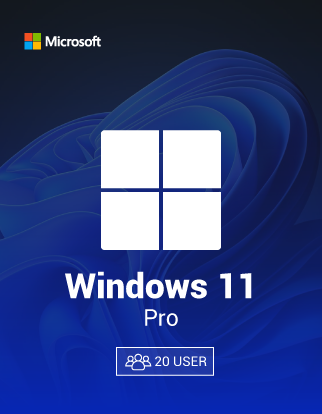
Windows 11 Pro License for 20 PCs Upgrade Your Entire Team
Region
GLOBALNo region lock — activates worldwide
You will receive a digital license key by email after purchase.
Product Description
Upgrade your PC with a genuine Windows 11 Pro License and enjoy a faster, cleaner, and more secure Windows experience. If you want better productivity tools, stronger security, and business-ready features, Windows 11 Pro is built for you. Moreover, activation is quick, and you can start using advanced Pro features right away without complicated steps.
Whether you’re upgrading from Windows 10, building a new PC, or activating a fresh install, this Windows 11 Pro License helps you unlock the full Pro edition safely and confidently.
Why You Need This Product
A Windows 11 Pro License is essential if you want more than basic home features. It’s designed for users who need control, protection, and smooth performance—at home or at work. However, many PCs run limited editions that lack key tools like BitLocker encryption and Remote Desktop.
With Windows 11 Pro, you get powerful features that improve security, simplify device management, and support modern workflows. Therefore, it’s a smart choice for professionals, students, creators, and small businesses who want a stable, premium Windows environment.
Key Benefits
- Genuine Windows 11 Pro activation with a digital license key
- Advanced security with BitLocker device encryption
- Remote Desktop access for working anywhere
- Windows Sandbox to test apps safely (supported hardware required)
- Hyper-V virtualization for running virtual machines (supported hardware required)
- Domain Join + Group Policy support for business environments
- Microsoft account or local account setup flexibility
- Faster productivity with Snap Layouts, improved multitasking, and a modern UI
- Regular security updates for long-term protection and stability
Best Features
- Genuine Windows 11 Pro activation with a digital license key
- Advanced security with BitLocker device encryption
- Remote Desktop access for working anywhere
- Windows Sandbox to test apps safely (supported hardware required)
- Hyper-V virtualization for running virtual machines (supported hardware required)
- Domain Join + Group Policy support for business environments
- Microsoft account or local account setup flexibility
- Faster productivity with Snap Layouts, improved multitasking, and a modern UI
- Regular security updates for long-term protection and stability
Overview
Compatibility & Hardware
Windows 11 Pro works best on modern PCs that support TPM 2.0, Secure Boot, and current drivers. However, if your device is older, you may face compatibility checks or missing security features. For the best experience, ensure your BIOS/UEFI is updated, and drivers are current.
Payment Methods
- PayPal
- Credit/Debit Cards
- Google Pay
- Amazon Pay
- Alipay
- Afterpay
- Klarna
- Bank Transfer
- Cryptocurrency
Delivery
- Instant delivery via Thank You page
- Instant delivery via Email
Security & Updates
Windows 11 Pro includes important security features like BitLocker, device encryption options, and built-in protections through Microsoft Defender. Moreover, Microsoft regularly releases security patches and feature updates, which help keep your system stable and protected over time. Keeping updates enabled is recommended for the best performance and safety.
How to install
How to Download
Downloading Windows is simple and official:
- Go to the Microsoft Windows 11 download page.
- Choose either Installation Assistant (for upgrades) or Create Installation Media (USB).
- Download and follow the on-screen prompts.
Moreover, using official installation files helps ensure a clean setup and fewer errors.
Installation Steps
Upgrade
- Back up important files (recommended).
- Run the Windows 11 Installation Assistant or mount the ISO.
- Follow prompts to upgrade and keep files/apps (if compatible).
- After installation, connect to the internet.
- Enter your Windows 11 Pro License key to activate.
Clean Install
- Create a bootable USB using Microsoft’s Media Creation tool.
- Boot your PC from the USB drive.
- Select language, region, and keyboard.
- Choose Windows 11 Pro when asked for the edition.
- Complete installation and sign in.
- Activate with your digital key.
Activation Process
License Type: Digital Key
This product includes a digital activation key for Windows 11 Pro.
Step-by-step activation guide
- Open Settings
- Go to System → Activation
- Click Change product key
- Enter your Windows 11 Pro License key
- Click Next → Activate
- Restart your PC if prompted
If activation doesn’t complete instantly, check your internet connection and confirm you installed/selected Windows 11 Pro (not Home).
Customer reviews
Based on 6,238 reviews
Any questions about the product? Write to us — 24/7 technical support!
Our technical specialists will be happy to answer all your questions.

Join the CDKeyDeals Club and Get 10% Off Your First Order!